Dropbox Replay vs a client delivery portal
Start with the part Replay wins
If your footage already lives in Dropbox, Replay is sitting on top of it. No second upload, no second place to look, no separate bill, since it comes as part of a Dropbox plan or as an add-on to one. That is a real advantage, and it is why most people reading this page are using it rather than something else.
It is also the whole of the advantage. Replay is a reviewing layer over a file store: time-stamped comments, version comparison, markup, reviewers who do not need an account. Everything it does happens between “here is the cut” and “looks good”.
A freelance job does not end at “looks good”. It ends when you have been paid. The last mile — deliver the finals, send the invoice, chase the invoice — happens in email, which is where unpaid invoices in this industry go to sit.
Side by side
Structural differences only; both products change their plans.
| Dropbox Replay | FileSaurus | |
|---|---|---|
| What it is | A video review layer over Dropbox storage, sold with or alongside a Dropbox plan. | A standalone client portal: delivery, review, approval and payment on one link. |
| Where your files sit | In your Dropbox, which is its whole advantage if they are already there. | In our storage, delivered over signed, time-limited URLs. Keep Dropbox for your archive. |
| Frame-accurate comments | Yes, with markup and version comparison. | Yes, with a drawing canvas, version history and unlimited client reviewers. |
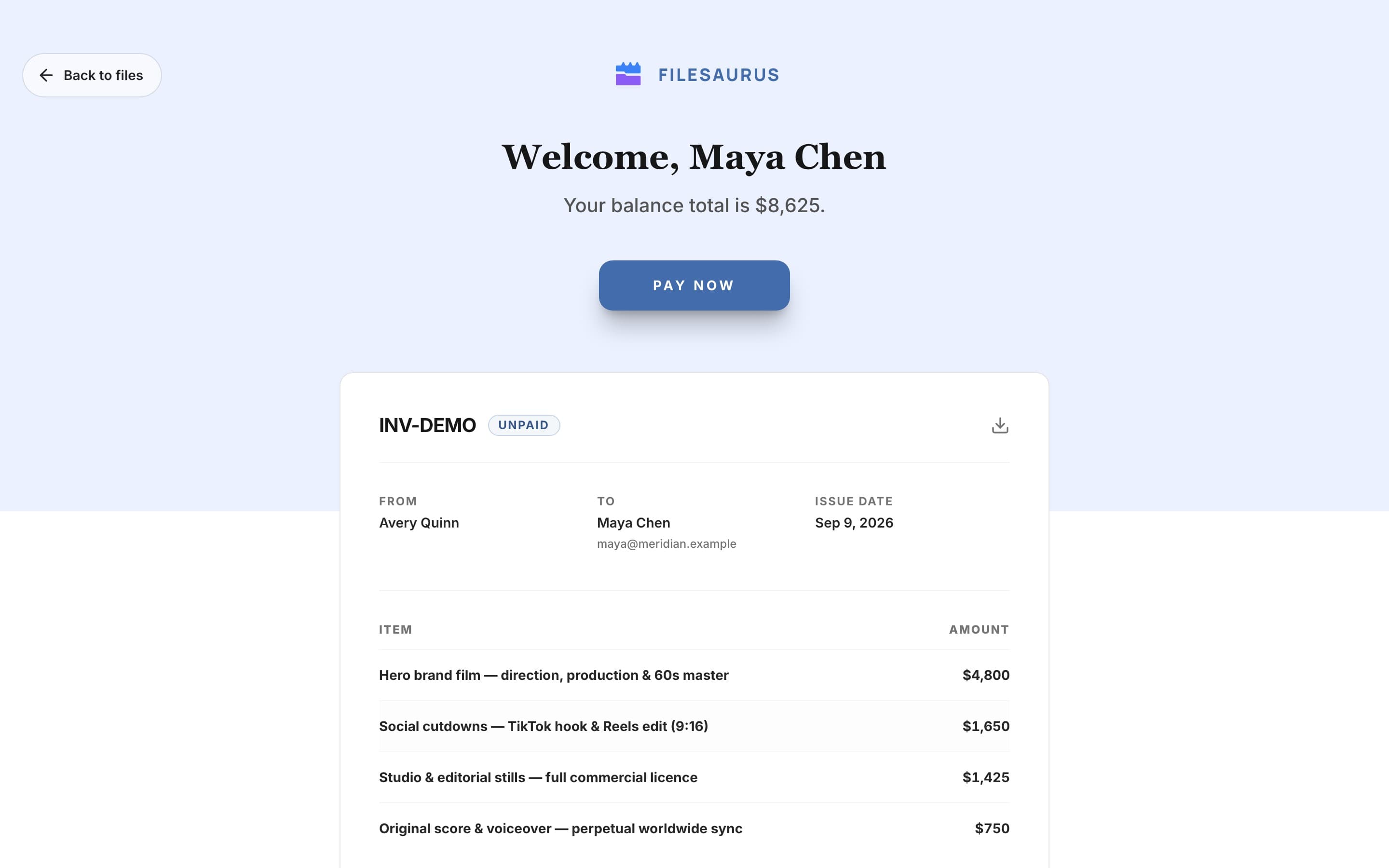
| Getting paid | Not part of it. Invoice and chase somewhere else. | Price the project, show the invoice on the delivery, take the card payment there. |
| Holding the finals until payment | — | Payment can gate the download, or the preview itself. Unpaid previews are watermarked. |
| Whose brand the client sees | Dropbox. | Yours on Pro: logo, colours, watermark and your own subdomain. |
| Everything else Dropbox does | A full file store with sync, sharing, signatures and an ecosystem. | None of it, on purpose. |
Where this changes the job
The invoice stops being a separate errand. The cut, the notes, the approval and the amount owed are one page, so your client does not have to find an email from three weeks ago to pay you, and you do not have to work out which of eleven deliveries is the one still unpaid.
“Can you send the files while we sort out the PO?” also stops being a decision you have to make. With the paywall on, the finals are there, watermarked, and the download unlocks itself when the payment clears. That is a much easier thing to hold than a personal boundary over email.
And the money does not route through us. Client invoices are direct charges on your own Stripe account, so the payment lands in your balance and settles on your own payout schedule. We take no cut of client work; Stripe deducts its processing fee at your own rate, as it would on any invoice you sent yourself. The pricing page sets out exactly how that works.
What you keep, and what actually moves
Keep Dropbox as your working drive and archive: your folder structure, your backups, and every internal round you do not want a client anywhere near. What moves is the client-facing version. One export, one portal, one link, with up to 8 GB per video on Pro inside 500 GB of active storage.
What you stop doing is exporting a watermarked preview by hand, emailing an invoice as a PDF attachment, and asking a client to confirm they received both.
If the material is sensitive, the portal takes a password, an expiry date and a download toggle per project, and every delivery URL is blocked from search engines at robots.txt. The limits of that are stated plainly on the security page, including the two things those controls cannot do.
Send your next delivery as a portal
Free on Starter: 5 GB of storage, 2 active projects, review and invoicing included. Pro is $24.99/month with a 7-day trial.
Start freeKeep Dropbox. See pricing, or the guide to invoicing a video client.
Dropbox and Dropbox Replay are trademarks of their respective owners. FileSaurus is not affiliated with, or endorsed by, any of them. Everything said here about another product describes how it is sold and what it is built to do, as published by its makers and checked on 21 September 2026 — products change, so check the current details with them before you decide.